
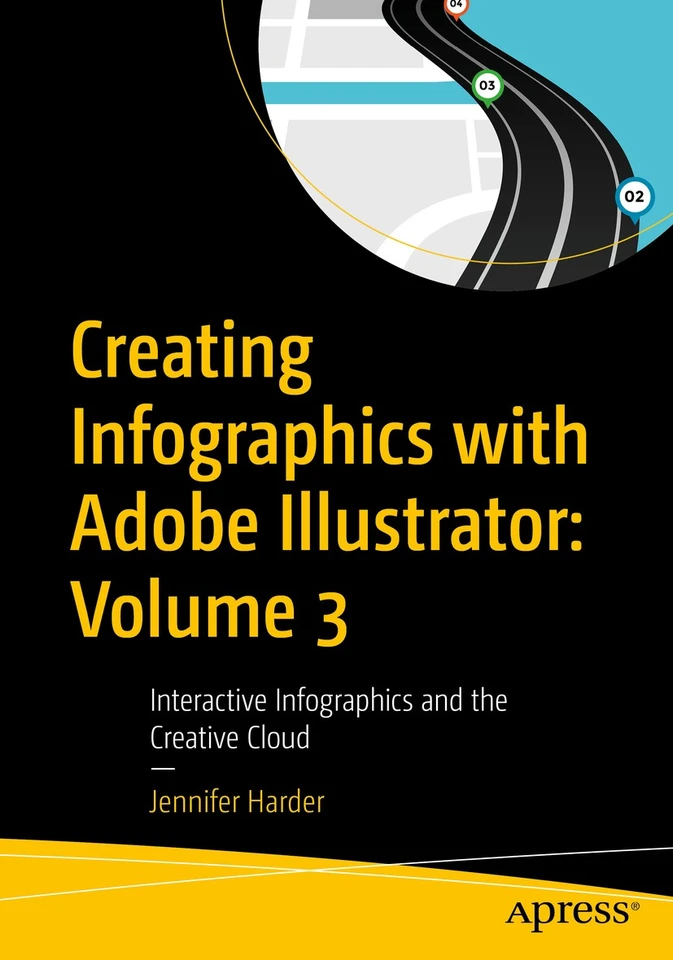
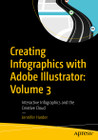
Creating Infographics with Adobe Illustrator: Volume 3: Interactive Infographics and the Creative Cloud
From $38.49 / copy at 25+ copies; lower per-copy prices at higher quantities (see Volume pricing) As low as $34.09 at 1,000+
Format
The more copies, the less each one costs
Applied automatically in your cart. No code needed.
Turn this order into a program
Groups that order together often pair the copies with something more. We handle the extras so you don't have to.
Branded cover stickers on paperbacks from 100 copies, plus bookplates, inserts and belly bands. Your specialist confirms what fits your title.
Customization options Ship to every readerOne address, many sites or individual recipients' homes, in the US and abroad.
Fulfillment options Pair it with a branded journalJournals with your logo or each reader's name, for the same group.
Branded journals Bring in a speaker
BookPal is partnering with Talezo to help you find and book authors, speakers and performers for your event.
BookPal × TalezoCreating Infographics with Adobe Illustrator
This full-color book, the third of three volumes, focuses on Adobe Illustrator’s SVG interactivity tools.
How can an infographic be made more interactive for an audience? What additional Illustrator tools and Adobe applications can be used to enhance your infographic layout? In this final volume of Creating Infographics with Adobe Illustrator, you will learn the answers to all these questions. Author Jennifer Harder will walk you through creating basic infographics in Illustrator using Illustrator tools for creating SVG files, known as Scalable Vector Graphics, for basic Interactivity on a web page. Then you will review layouts in other Adobe Applications in relation to their connectivity with Illustrator.
Upon completing this volume, you will have a thorough understanding of how to design an infographic with basic interactivity for a web page, and how this can improve visualization and convey meaning to your audience. Moreover, youwill be able to use this knowledge to create your own infographics using Illustrator’s wide array of tools.
What You Will Learn
- Discover how to apply interactivity to an infographic
- Gain insight into different infographic layouts and how to finalize your project with your client
- Explore other Adobe Creative Cloud applications that may assist you in the future as you create your infographics
Who This Book Is For
Beginner-level designers and others who are interested in learning the process of creating infographics for their company, the classroom, for, an article in a magazine, or adding interactivity to webpage.Details
- Publisher
- Apress
- Author
- Jennifer Harder
- Format
- Paperback
- Published
- Dec 8, 2023
- ISBN-13
- 9798868800375
- Pages
- 205
- Printing
- Printed on demand
Creating Infographics with Adobe Illustrator for groups: pricing
Volume pricing applies automatically in your cart. No codes, no account needed.
| Copies | Price per copy | You save |
|---|---|---|
| 25 – 99 | $38.49 | 30% off list |
| 100 – 249 | $37.39 | 32% off list |
| 250 – 499 | $36.29 | 34% off list |
| 500 – 999 | $35.19 | 36% off list |
| 1,000+ | $34.09 | 38% off list |
Popular for
A copy for every member, on one order.
A book for every attendee, delivered to your venue.
For clients, staff, members or volunteers.
Where can I buy 100 copies of Creating Infographics with Adobe Illustrator?
BookPal sells Creating Infographics with Adobe Illustrator in quantity. At 100 copies the price is $37.39 a copy, against a list price of $54.99, and the cart applies the volume tier automatically. Free shipping on most orders over $95 in the contiguous US. A specialist can quote a larger or mixed order.
- New books only, straight from the publisher
- Volume prices apply automatically in the cart, with no code needed
- Order at least 10 business days before you need the books (11 from mid-November through December)
What does Creating Infographics with Adobe Illustrator cost when I buy for a group?
Volume pricing applies automatically in your cart, with no code needed. Price per copy: 25 to 99 copies, $38.49 (30% off list); 100 to 249 copies, $37.39 (32% off list); 250 to 499 copies, $36.29 (34% off list); 500 to 999 copies, $35.19 (36% off list); 1,000+ copies, $34.09 (38% off list). Need a different quantity, or a quote to forward for approval? Ask a specialist and we will confirm pricing before you pay.
How fast can I get copies of Creating Infographics with Adobe Illustrator?
This title is printed on demand, so it needs production time before it ships. Need them by a specific date? Request a quote and we'll confirm timing before you pay.
Can you ship to several locations or people's homes?
Yes. We ship group orders to one address, to multiple sites, or to individual recipients, in the US and internationally. See fulfillment options.
Can I get a formal quote for approval before ordering?
Yes. Request a quote and we'll send a PDF you can forward for approval.
Do you accept purchase orders and tax-exempt orders?
Yes. We accept purchase orders upon approval, as well as cards, PayPal, ACH, wire transfers and checks. BookPal is a tax-exempt supplier in all 50 states. See purchase orders and sales tax exemption.
What if I find a lower price?
Send us the link. We match prices from other booksellers and distributors on a new copy in the same edition, available to ship in the quantity you need. Clearance sales and pricing errors are the exception, and we'll tell you quickly if that's the case. Start a price match.
Write a Review
Creating Infographics with Adobe Illustrator: Volume 3: Interactive Infographics and the Creative Cloud
Groups also order
A colleague asked you to approve this order
Your quote list
Add books as you browse, then request one quote for all of them.